
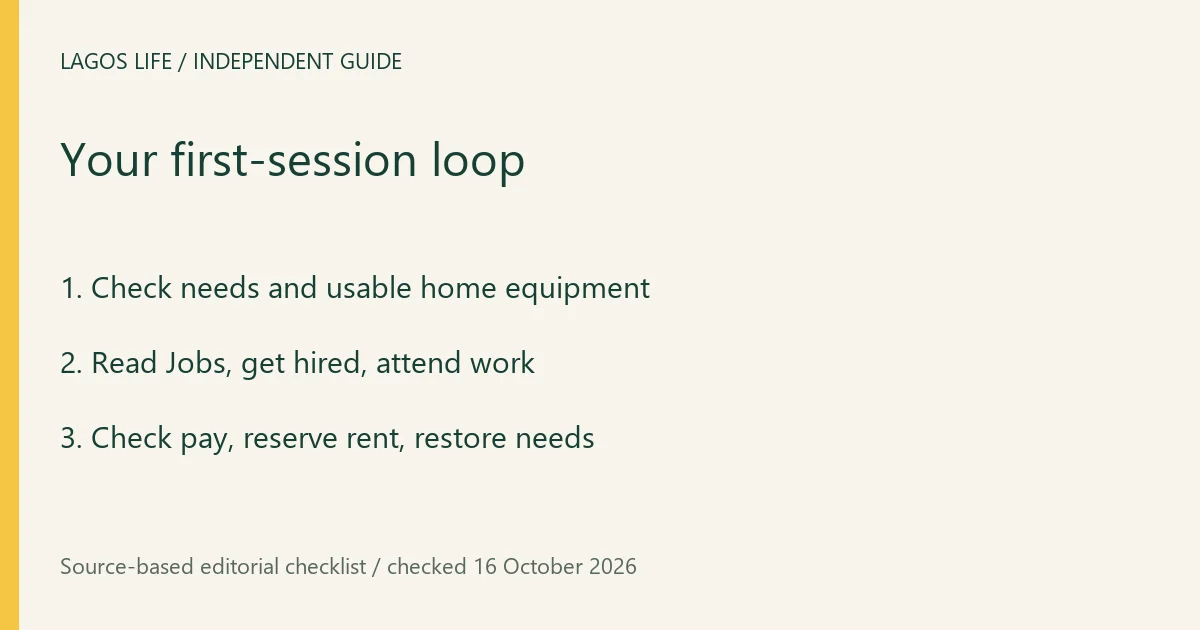
Your first Lagos Life session can follow a simple loop: settle into your home, check your needs, get a job, complete work, then use the earnings to maintain your Sim. The game’s own beginner help recommends that order. Start with the official signup route if you have not reached character setup yet.
Read the first playable screen
After character creation and moving in, the recorded starting state has an avatar in a home and Home, Buy, Map and Phone controls. Home returns to your living space, Buy opens furnishing choices, Map helps select a destination, and Phone contains services such as Jobs, messages and the bank. The first home and its furniture depend on setup; another player’s balance is not your promised starting allowance.
Open your Sim’s profile and Needs. The original recording shows Hunger, Energy, Fun, Social, Hygiene and Bladder. The bars describe your character, while the money figure describes the wallet. A bright city scene or a large wallet does not mean every need is satisfied.
A practical first-session sequence
- Check Needs before committing to a long action. Use an available bed for rest and a fridge/cooker for food, as directed by the official help. If food at home is unavailable, Amala Shitta provides a documented meal route.
- Open Phone → Jobs, read the job’s pay, schedule and entry conditions, and apply for a suitable role. A recorded acceptance says the player is hired as an Intern and should use Go to work when it is time. Acceptance and completing a shift are different states.
- At the displayed work time, use Go to work or the offered automatic-work setting. Let work complete, then check the payment and Career panel. Train the skill required by the next role rather than assuming another click on Apply earns a promotion.
- Set aside money for food, transport and any rent before buying decorations or investing. Check your needs again after work and restore the bars that fell.
The observed food sequence ends with an Eat something goal-completion notification; a rest recording shows the avatar in bed with an active bed task. These are useful action checks. They are not a promise that every activity restores every bar or that an account remains healthy while unattended.
Choose the next guide by the problem
Use needs and energy for a low bar, jobs for your schedule and promotion, and skills for training or a course. To leave home, follow the trip and arrival checks. To meet someone, use player profiles and chat.
Optional top-ups are separate from ordinary play. Game Naira remains fictional and cannot be withdrawn to a bank. If the interface fails to load, use loading help before clearing cookies or creating another account.
Sources and scope
Prepared from public source material and the screens identified below. This guide does not claim an in-game playtest.
- Lagos Life — official in-game help textOfficial public browser resource read 16 October 2026: New here, needs, Jobs, UNILAG, Houses, Invest, Bank, Send money and Wallet help cards. Instructions describe intended use; no account action or payment was submitted.
- Samuel Awoyemi H-QTV — original full-features recordingUploaded 6 October 2026. Viewed Needs at 5:36; coding actions at 11:30; arrest and cell at 12:00–12:20; Jobs at 16:16; meal completion at 23:34. Dated examples, formal build unknown; spoken figures can differ from readable UI.
- Zik the Programming Guy — PC play recordingUploaded 8 October 2026. Viewed bed action at 2:40–3:05 and Intern hiring confirmation at 5:46. The earlier third-party entry shown in the recording is not recommended.
- MoneyPro-Tips — account creation recordingUploaded 5 October 2026; character setup at 1:35, traits at 2:25, birth result at 3:45 and playable home at 5:30 viewed. Older form differs from the current public form; formal build unknown.
- Lagos Life — Terms of UseEffective 1 October 2026; wording checked 16 October 2026.
Browse all available guides · Return to the Lagos Life overview